Inventory sync
Stop selling the last one twice
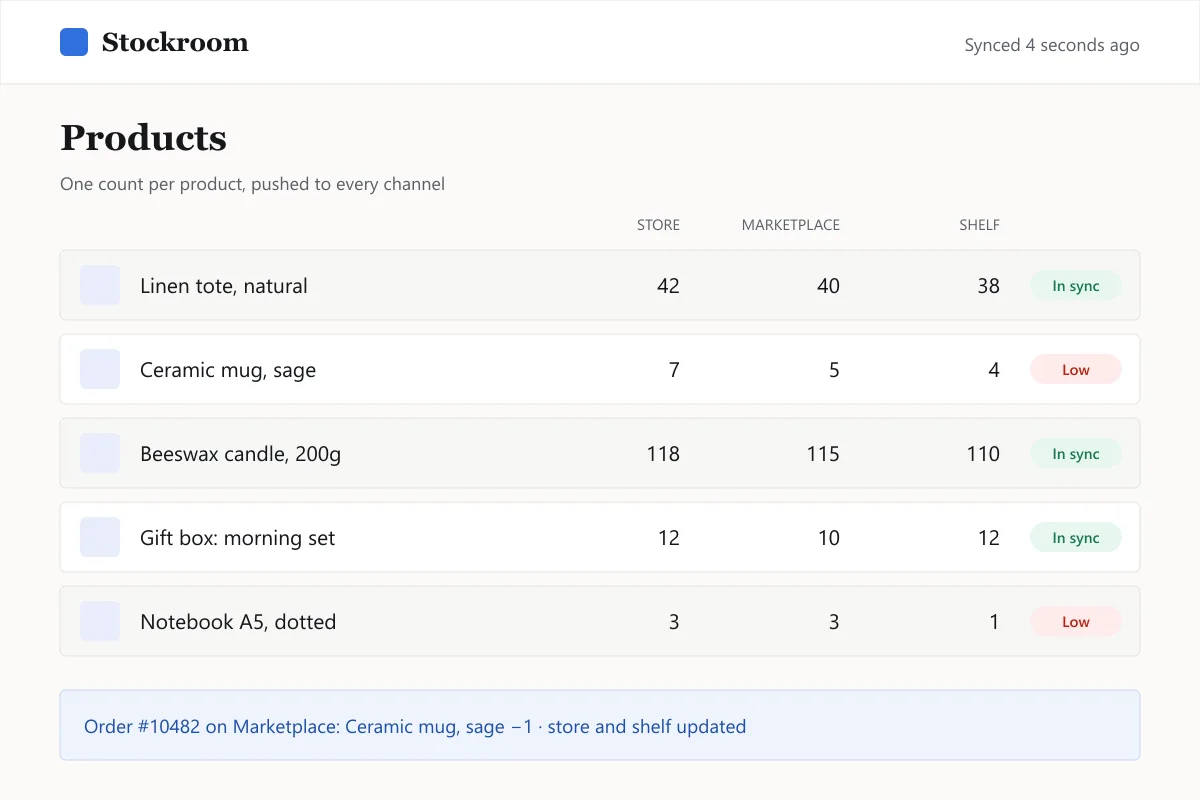
Stockroom keeps one stock count for your store, your marketplace listings and the shelf. When something sells anywhere, every channel updates within seconds.
Connects the channels small stores actually use
- Online store
- Marketplaces
- Point of sale
- Spreadsheets
- Warehouse CSV
One number per product, everywhere
Stockroom sits between your channels. It doesn't replace your store; it stops the store and the marketplace from disagreeing.
Two-way sync
A sale on any channel lowers the count on all the others. A restock you enter once shows up everywhere.
Seconds, not hours
Updates arrive from each channel's webhooks, with a scheduled re-check every 15 minutes in case one is missed.
Safety buffer
Hold back a few units per channel so a slow marketplace update can't oversell your last item.
Bundles and variants
Sell a gift box made of three products and Stockroom lowers each one. Sizes and colours are tracked separately.
Low-stock alerts
Get an email or chat message when a product drops below the level you set, with the last 30 days of sales next to it.
A history you can read
Every change records where it came from: an order, a manual edit, a return. Handy when the numbers look wrong.
Priced by products, not by sales
Every plan includes all channels and features. Pick the one that fits your catalogue.
Shelf
Up to 250 products.
$19/month
- All channels
- Two-way sync
- Low-stock alerts
- Email support
Store
Most storesUp to 2,500 products.
$49/month
- Everything in Shelf
- Bundles and variants
- Safety buffers per channel
- Change history (1 year)
Warehouse
Up to 20,000 products.
$129/month
- Everything in Store
- Multiple locations
- CSV imports from your 3PL
- Priority support
14-day trial on every plan, no card required. Cancel from the settings page.
Start your 14-day trial
Leave your email and we'll send the link to connect your first channel. No card needed.
Common questions
What happens if a channel is down?
Do I have to move my products into Stockroom?
Can I try it on part of my catalogue first?
Try it on your real catalogue for two weeks
Connect a channel in about five minutes. No card needed for the trial.